
Appearance
Stripe Onboarding as Part of Registration
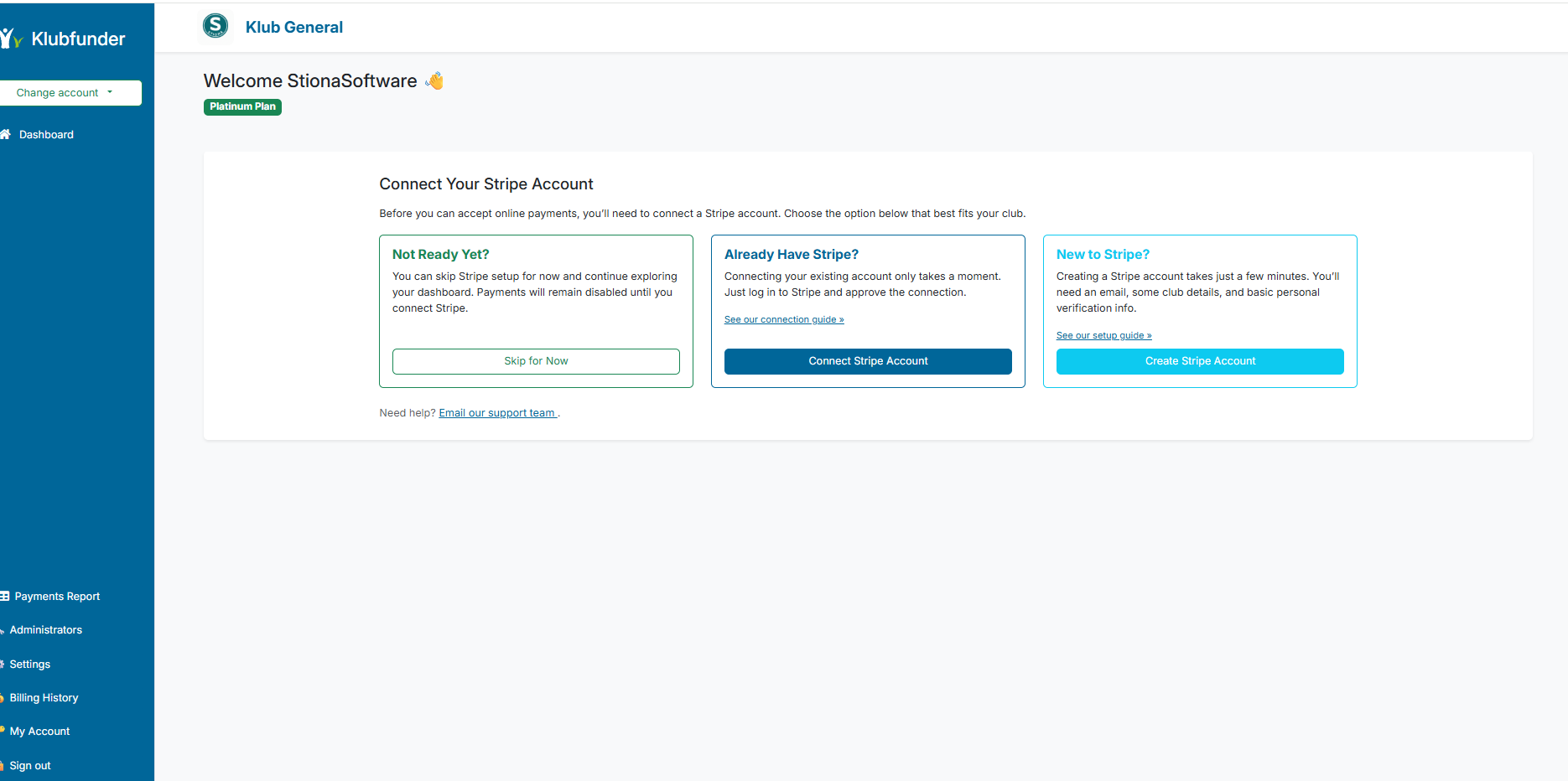
As part of the club registration journey a club administrator is provided with the Stripe Connect Registration screen as illustrated in the screenshot below. This provides the club administrator with 3 choices.
WARNING
- Not Ready Yet — If the club does not have an existing Stripe account then they can choose this option to explore the klubfunder platform without setting up stripe.
If this option is selected then the club will not be able to take any online payments. They will still need to create a Stripe account at a later stage before they can take any payments.
- Already Have Stripe — If a club already has a stripe account or has completed the stripe account setup process. They can connect using this option.
- New to Stripe — This option will take the user to the Stripe website to create a new Stripe account.
How to Connect to Stripe after Selecting Skip
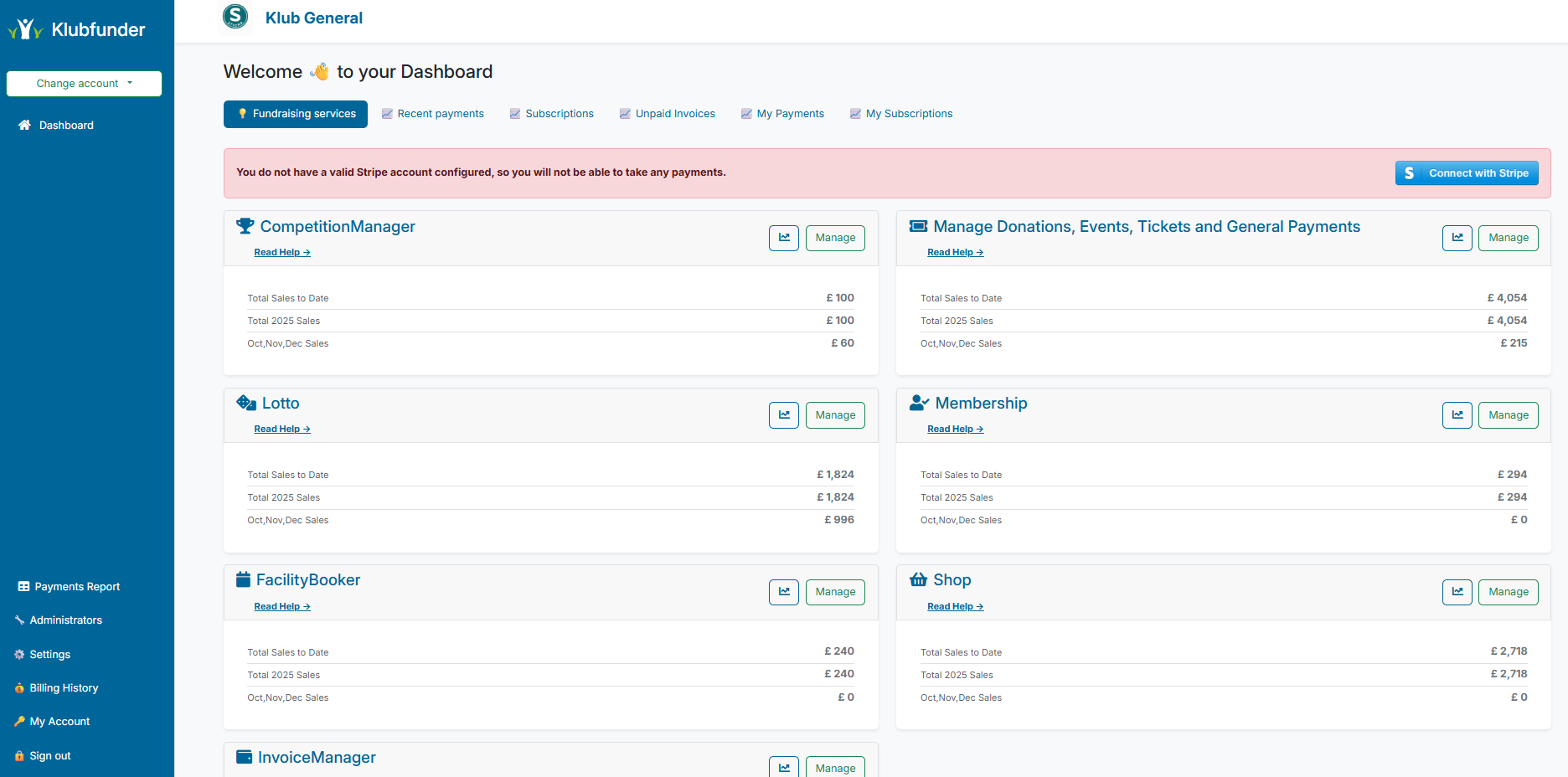
If a club administrator selected the Skip Stripe option then there admin dashbaord will appear as in the screenshot below. This allows them to connect to stripe once it has been set up.
No Online Payments
The club will not be able to take any online payments if the red message appears on the Club Admin dashboard