
Appearance
Dashboard Panel
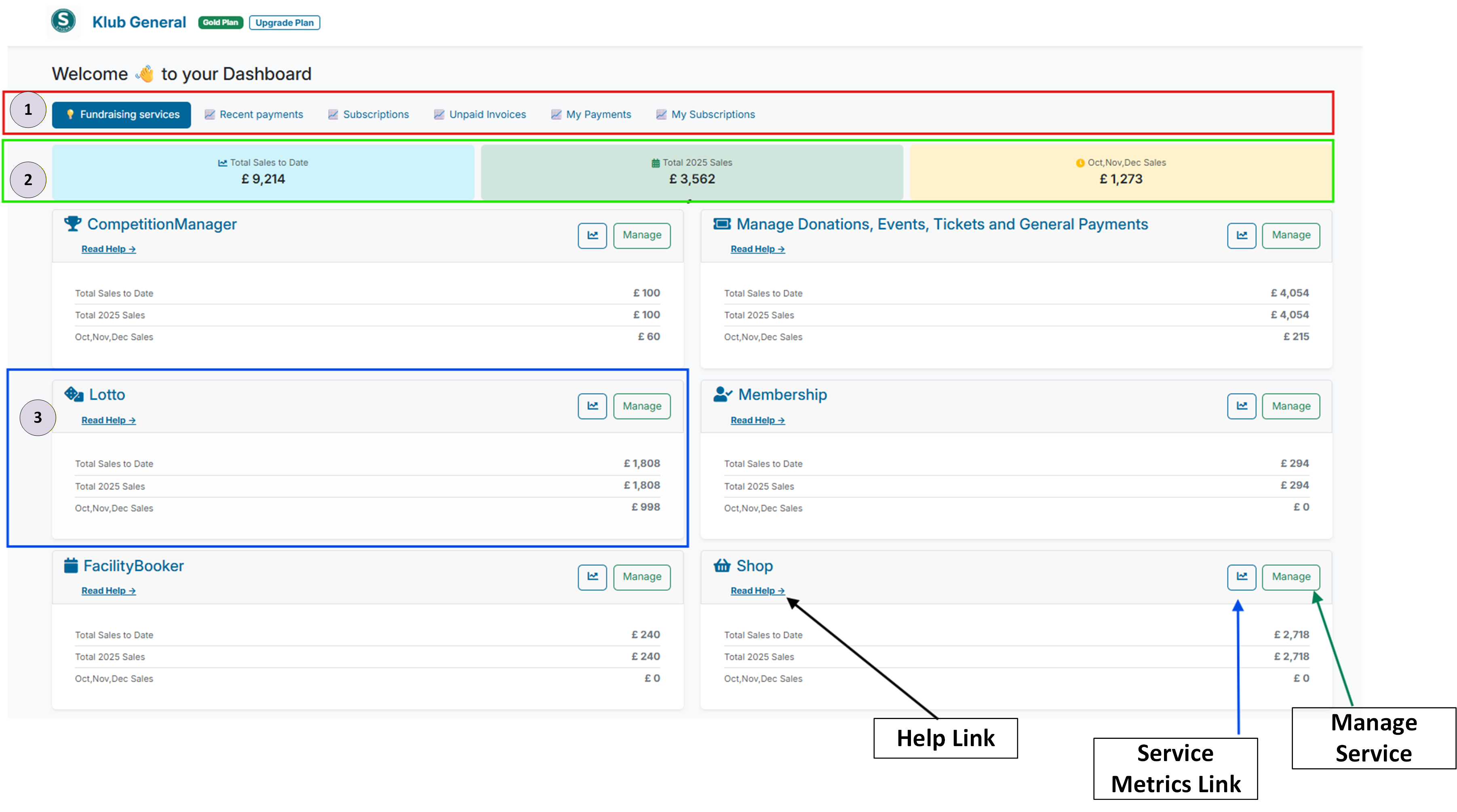
1 Admin Dashboard Tabs (red box in the screenshot)
- Fundraising Services — Lists services your club has access to.
- Recent Payments — Displays a list of the latest payment transactions.
- Subscription Details — Shows a list of active member subscription payments.
- Unpaid Invoices — Highlights any member payments that are unpaid.
- My Payments — Lists one-off payments made by the logged-in user.
- My Subscriptions — Lists any subscription payments made by the logged-in user.
2 Sales Stats (green box in the screenshot)
- Total Sales to Date — Total sales for all services made to date.
- Total Current Year Sales — Total sales for all services in the current year.
- Last 3 Months Sales — Total sales for all services in the last 3 months.
3 Service Card (blue box in the screenshot)
- Service Title - name of the specific service
- Service Help link (black arrow in the screenshot) - access the help documentation from this link
- Service Metrics link (blue arrow in the screenshot) - access detailed service metrics from this link.
- Service Manage link (green arrow in the screenshot) - access each service dashboard from this link.
- Total Sales to Date — Total sales for specific service(s) indicated by name at top of card made to date.
- Total Current Year Sales — Total sales for service(s) indicated by name at top of card in the current year.
- Last 3 Months Sales — Total sales for service(s) indicated by name at top of card in the last 3 months.