
Appearance
Dashboard Panel Service Metrics
Access Link
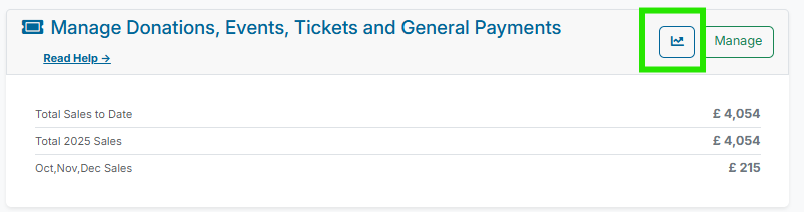
The service metrics page is accessed from within the main dashboard via each of the service cards, as illustrated in the screenshot below.
Service Metric Functionality
The service metrics screen provides an aggregated summary of sales for an individual fundraiser between two dates. A sample of the data is displayed in the screenshot below. The numbered sections are described below.
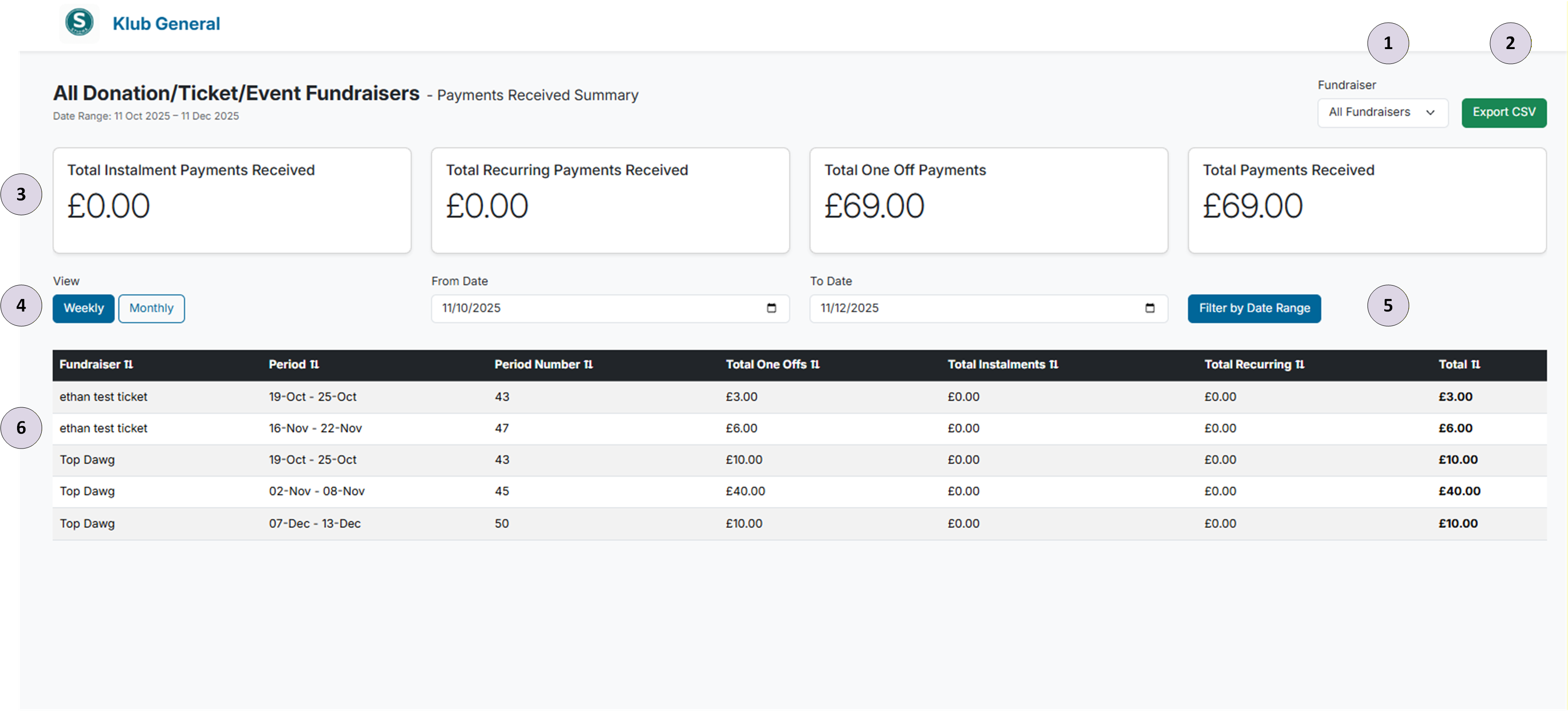
- Payment Type Dropdown Filter — If a club has run multiple fundraisers, this dropdown can be used to filter displayed data to a specific fundraiser.
- Export CSV — This button exports the data currently displayed in the report data pane.
- Aggregated Metrics — The aggregated metric cards show payment totals for the selected date range. The four cards show totals for instalments, recurring payments, one-off payments, and overall payments.
- Weekly \ Monthly Toggle — Displays report data by week or by month, depending on what is selected.
- Date Range Filter — Allows the user to select report data between a date range.
- Report Data Pane — Displays resulting data for selected filters. Clicking the arrows in the header sorts data by that field.