
Appearance
Sidebar Menu
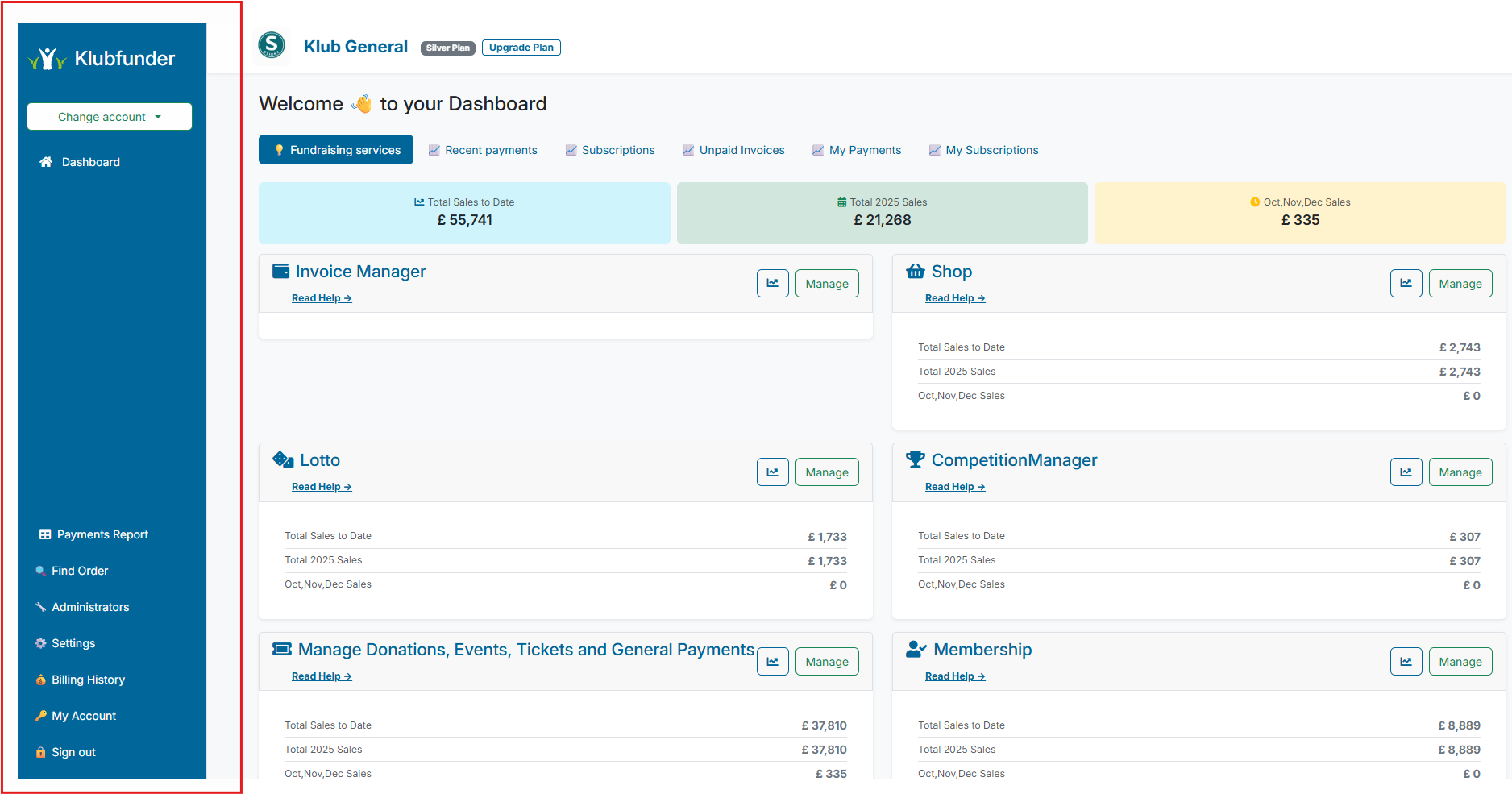
Use the Sidebar Menu to navigate quickly between day-to-day club admin tasks.
Before You Start
- You are logged in as a club administrator.
- You are viewing the Club Admin Dashboard.
What This Menu Is For
The sidebar gives you direct access to account switching, reporting, settings, billing, and user management.
Menu Options
- Change Account: Visible only when your login is linked to more than one club account. Use it to switch club context.
- Payments Report: View payments across a selected date range.
- Find Order: Search for payment orders by full order ID or by the start of an email address (minimum 3 characters).
- Administrators: Add and manage club administrators (subject to plan limits).
- Settings: Manage club details, payment providers, nominal codes, and platform plans.
- Billing History: View plan-related charges made by the club.
- My Account: Update your personal user profile.
- Sign Out: End your session securely.
Recommended First-Use Path
If you are new to this menu, follow this order:
- Open Settings and confirm club details and payment provider setup.
- Open Administrators and add any additional admin users.
- Use Payments Report and Find Order for payment checks and troubleshooting.