
Appearance
Club Admin Dashboard
After signing in as a Club Admin, this dashboard is your control center for running your club on Klubfunder.
Before You Start
- You are logged in with club admin access.
- Your club account is active.
Dashboard Areas
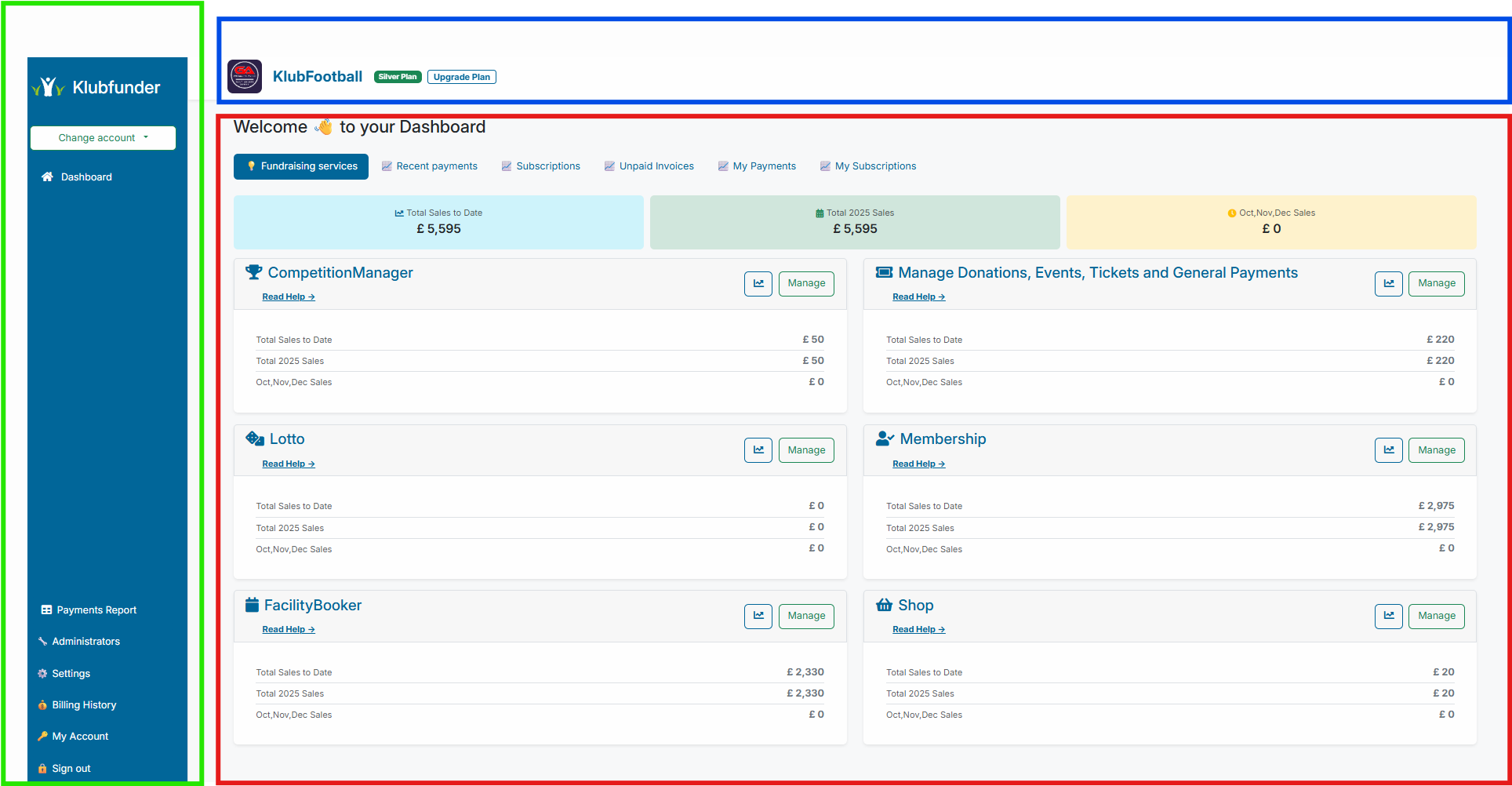
The dashboard is organised into three main areas.
1. Club Header
Located at the top of the page.
- Shows your Club Logo, Club Name, and Subscription Plan.
- Includes Upgrade Plan for viewing and changing plans.
- Clicking the Club Name returns you to the main dashboard view.
Quick Navigation
Click the club name at any time to return to the main dashboard.
2. Dashboard Panel
Located in the center of the page.
Main widgets and data areas include:
- Fundraising Services: Access your club's enabled services.
- Recent Payments: View latest payment activity.
- Subscription Details: Review active member subscriptions.
- Unpaid Invoices: Track failed or outstanding payments.
- My Payments: See one-off payments made by your user.
- My Subscriptions: See subscriptions linked to your user.
3. Sidebar Menu
Located on the left side of the page.
Use this as your main navigation for admin operations.
Note
Sidebar content can change slightly depending on the section you are currently in.
Common options include:
- Change Account
- Dashboard
- Payments Report
- Find Order
- Administrators
- Settings
- Billing History
- My Account
- Sign Out
Recommended First-Week Setup
For new clubs or new admins, this sequence reduces setup errors:
- Review Settings (club details, payment providers, plan).
- Add required users in Administrators.
- Validate reporting access in Payments Report and Find Order.
- Review available fundraising services from Dashboard Panel.